
How can i view 4D view on teach pendant ? I was searching some information on google and i saw this below picture . But there was no information available how to add into teach pendant. Kindly guide me..
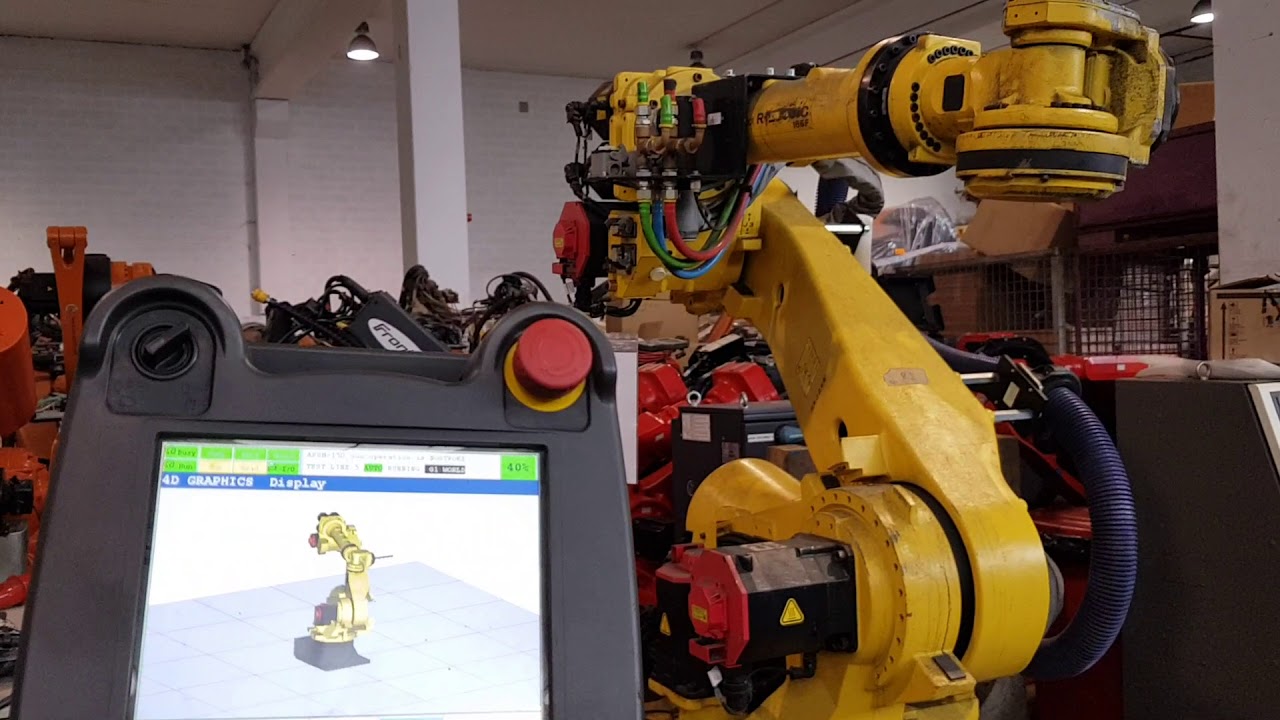
How can i view 4D view on teach pendant ? I was searching some information on google and i saw this below picture . But there was no information available how to add into teach pendant. Kindly guide me..
Didn't find what you were looking for?
New post


The “4D Graphics” function is available as an option, with a model of the cell loaded into the robot controller. This model can be displayed by pressing the MENU button and selecting “4D Graphics”:

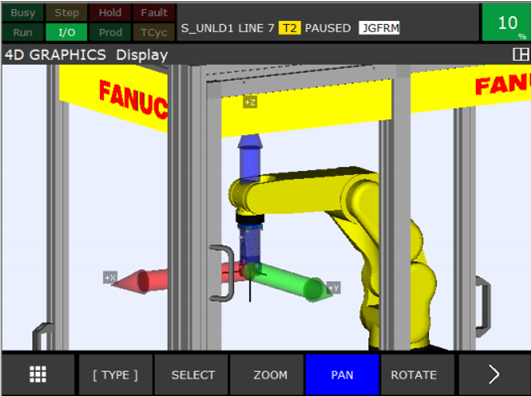
The 4D graphics function has many features, for example as shown below the display of the Jog Coordinates – in this case the WORLD Jog Coordinate System:
Thanks!

You will need these two options
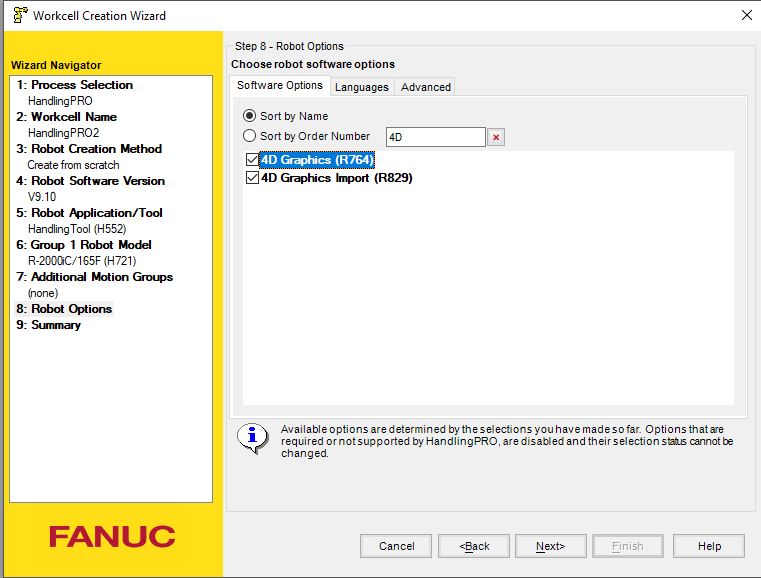
Then you can export file directly to iPendant
To see 4D VIEW, You will need to create the views in the cell browser on roboguide software. Follow the guidelines as mentioned in the help section.
Please sign in to leave a comment.
Comments
2 comments