I have been trying run two robot simultaneously. I can open one robot cell without any issue but as soon as when i try to open the second robot with multiple roboguide window software just crash. I do not have any good computer knowledge on system configuration. I asked my colleagues working in another company , they can run it without any hassle.
Answered Roboguide crashes with multiple cell window
Didn't find what you were looking for?
New post

-
 Comment actions
Are you trying to open the second roboguide software ? Just like there is one already opened cell and then on roboguide icon at taskbar , Right click it and opening the another ?
-
 Comment actions
Yes, But when i try to open it crashes. I tried disabling the antivirus suggested by one of my friend. But not working.
-
Comment actions
I understood. I had faced the similar issue. It is due to the PORT Number. Check the port number of another roboguide trying to open. Check any other software/system running on the same port ,
Disable it
Now try to open.
-
Comment actions
I am so sorry , I am noob with this computer system things. Can you explain in detail ?
Thanks a lot
-
 Comment actions
See this image ,
I have opened two roboguide software.
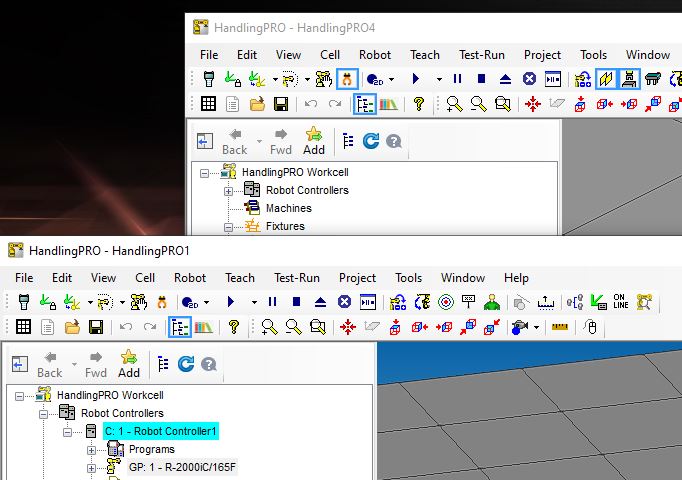
So Now What you need to do it ,
Go to File Explorer - Write in windows menu
Go to Your Cell Explorer - Mine is as follows. It will be mostly similar for you . Or try search for My Workcells.
C:\Users\Username\Documents\My Workcells\HandlingPRO1\Robot_1\logfile
C:\Users\Username\Documents\My Workcells\HandlingPRO2\Robot_1\logfile
So these are my two location of logfile of two robots. Now if you are successful with the first robot. Check the logfile of second robotcell.
Open the log file > At the bottom of the log file you will see > PORT NUMBER > Else Use CTRL + F to find out the port , Here is snap
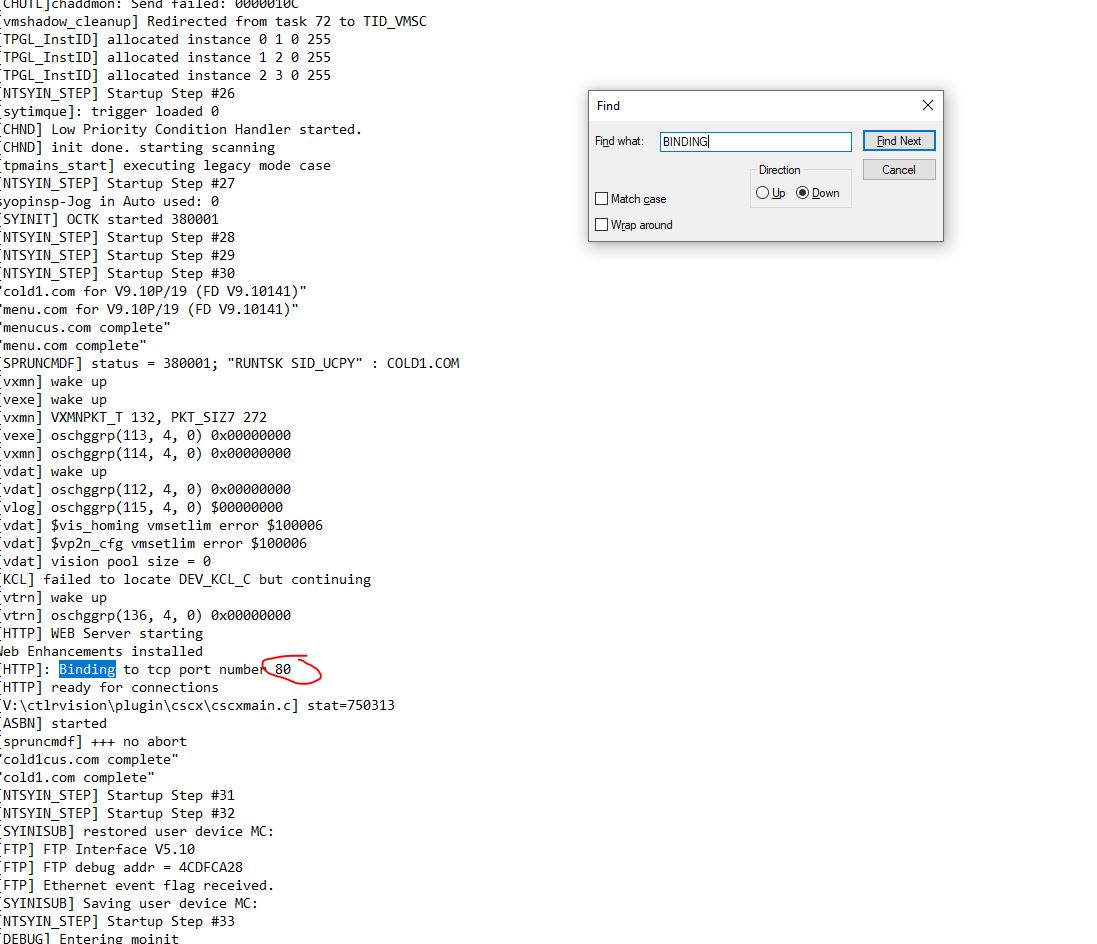
It is got successful for mine. Now you have the PORT NUMBER , You need to see if there is anyother software of system is running on same port.
For that go to Windows > Resource Monitor
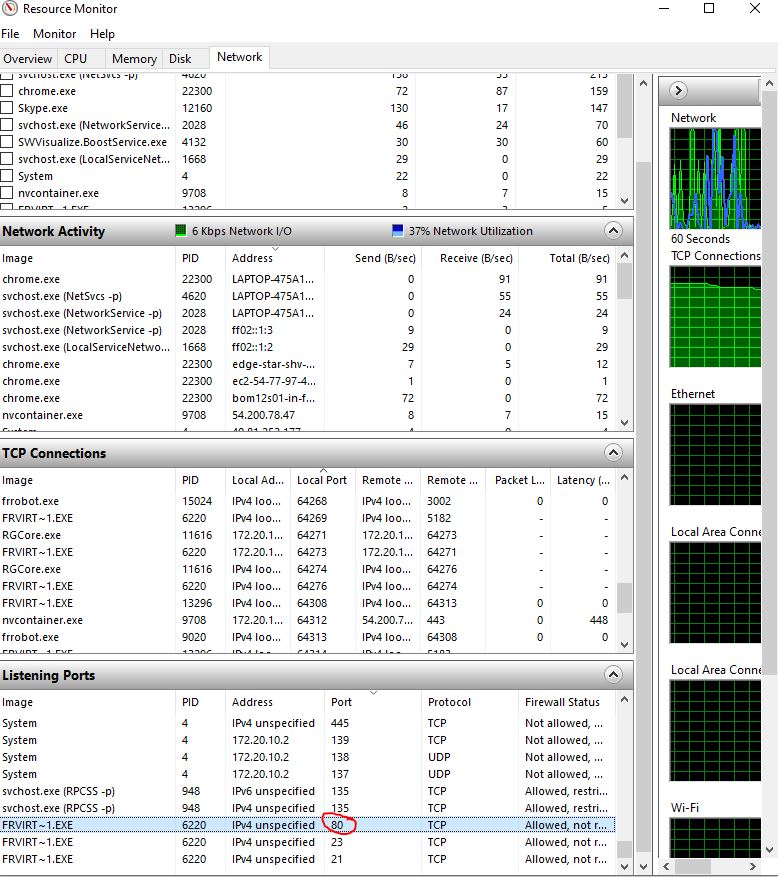
If you find anyother software running on same port .
To Close the process , Go to windows > Task Manager > Details > Search for that PID address or Process name in details tab
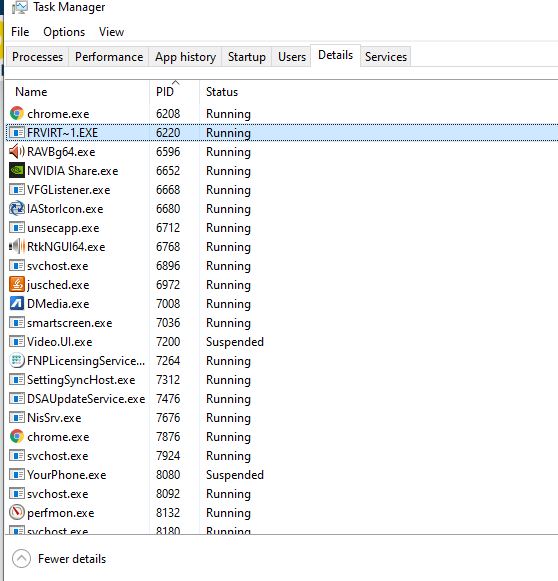
Now you can open second roboguide.
-
Please sign in to leave a comment.
Comments
6 comments