So I have calibrated the arm at least 20 times now, each time giving me the same problem. All the axis are off, when I move in WORLD, x and z curve and y is diagonal to how it should be. In TOOL, the x and z are swapped, and all three are curved/diagonal to how they should move. I was just going to try and plot points anyway to see if I can at least get it operating, but linear motion is impossible without a point every inch along the path, as the welder tip tries to curve in any direction it can if I give it the smallest chance to do so.
Fanuc 100ib axis issues
Didn't find what you were looking for?
New post

-
 Comment actions
Hi,
When you calibrate the robot, do you use the pulse count that was given when you received the robot from Fanuc?
-
 Comment actions
I have just been following the instructions on the quick calibration from DIY Robotics, since that's all the documentation I am aware of.
-
Comment actions
Hi,
When you go in MENU - NEXT - SYSTEM - Variables
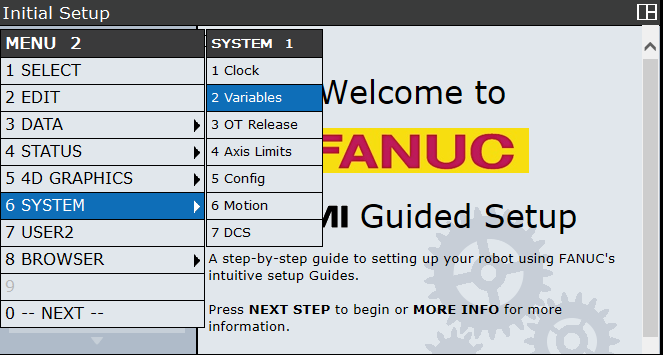
Go in $DMR_GRP and press 2 times DETAIL(F2)
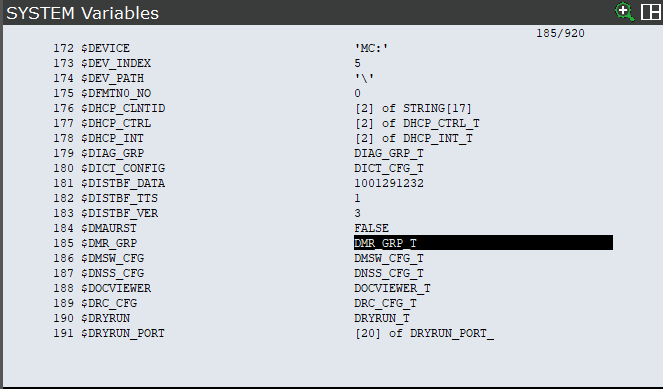
You should get this window

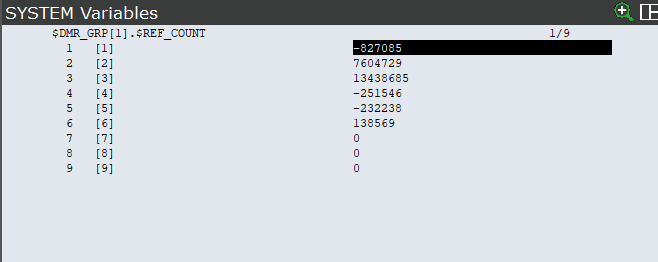
Go in $REF_COUNT and press DETAIL (F2)
You should have values that look like this:
-
Comment actions
The variables I have are as follows:
-15014248
2693952
-895576
229904
458732
502582
0
0
0
-
Comment actions
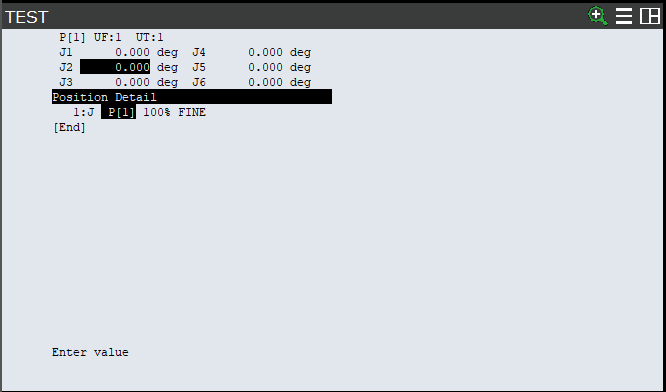
Try creating a point in joint coordinate and change all the values of the joint to 0. Go at this point and validate if the robot is at his zero marks on each joint.

-
Comment actions
The arm has that program already, every time I calibrate it J3 and J5 move ever so slightly out of place. I have the values it claims the joints are at when I finish calibrating it with the marks at 0.
J3: 0.161
J5: 3.925
-
Comment actions
However, that's just for one of the calibrations. J3 and J5 move a random amount each time I calibrate it at the zero marks, and not always in the same direction.
-
Comment actions
I would like to post a video of it moving, which site should I upload to?
EDIT: I put it on Vimeo, here is a link
I have no idea why it's moving like this
-
Comment actions
Hi,
It seems that the robot is not moving with the tool at the end of the welding torch. Do you have the correct tool activated?
MENU - SETUP - Frames
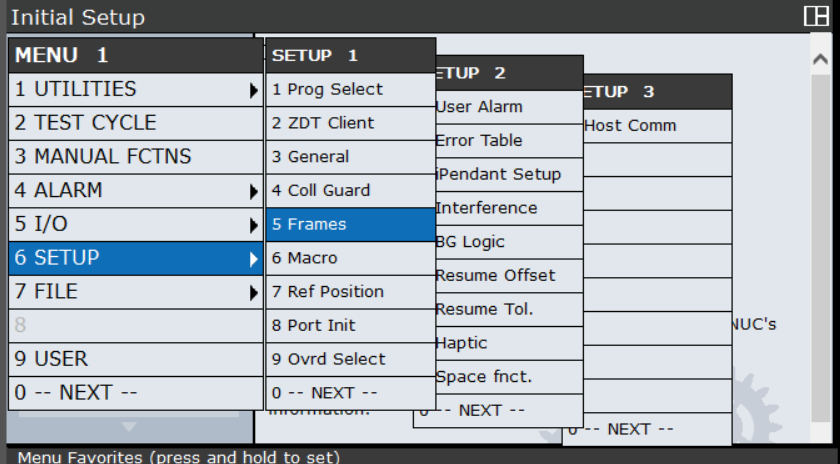
F3 for OTHER ans the select Tool Frame
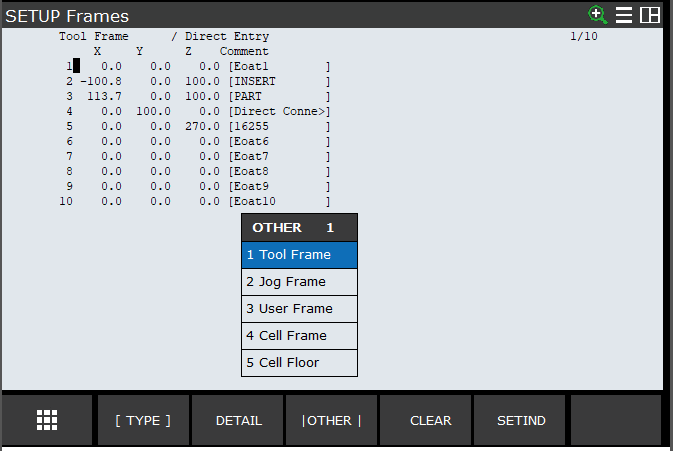
-
Comment actions
Yes, and I have tried teaching the tool frame again, there was no noticeable difference
-
Comment actions
Can you send us the Backup (ALL of Above) of the robot please? We will check in Roboguide the config of the robot.
-
Comment actions
Sure, how do I do that? My experience with the arms is more "place/adjust point in program" than actual maintenance
-
Comment actions
Hi,
You can follow this tutorial to do a backup:
https://diy-robotics.com/tutorials/fanuc-file-management-backup-on-usb-key/
-
Comment actions
Unfortunately it looks like the teach pendant is too old or just doesn't have a USB port. There is a data port on the controller, but it's not USB and I'm looking for the card that goes into it.
-
-
Comment actions
Hi Caedis,
Have you tried to do a Zero Position Master?
Move the robot on it's Zero mark on each axis and try the mastering.

DIY-Robotics products
https://diy-robotics.com/products/ -
-
Comment actions
Hi,
Can you try to press enter 1 time on Toggle Wrist Jog?
It's under the FCTN menu
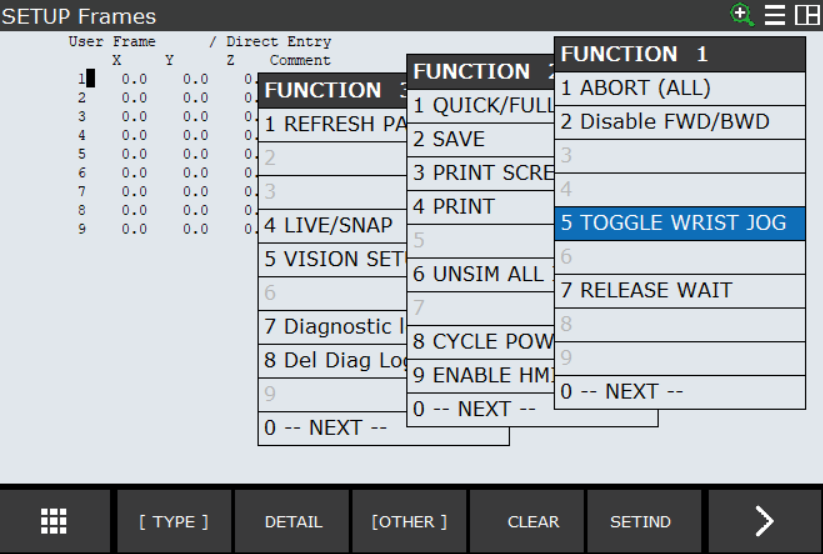
-
Comment actions
I have looked for this option, it appears I only have the first two menus and not the one with that option.
-
-
-
Comment actions
Hi,
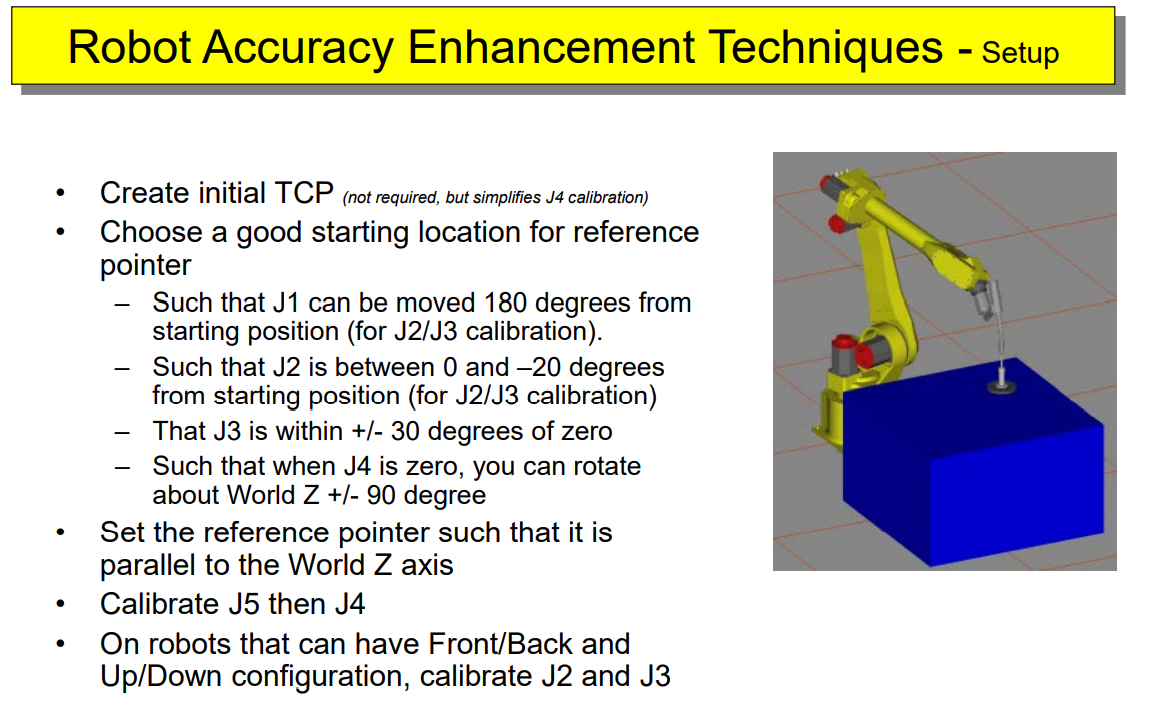
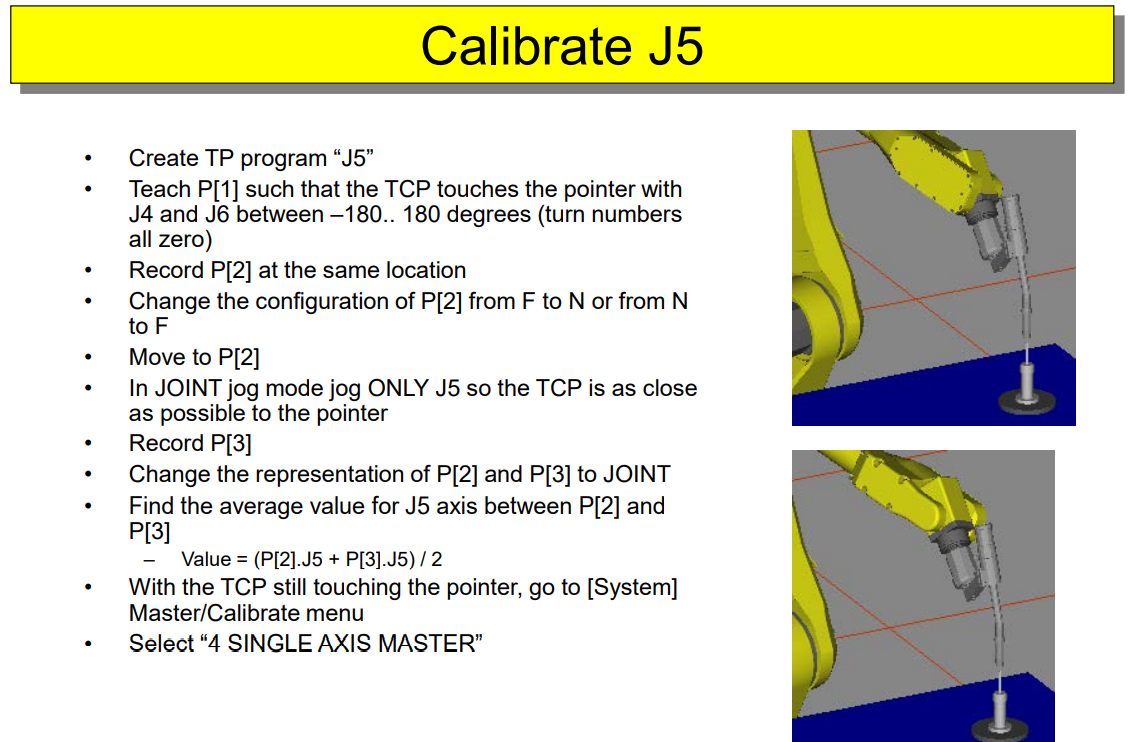
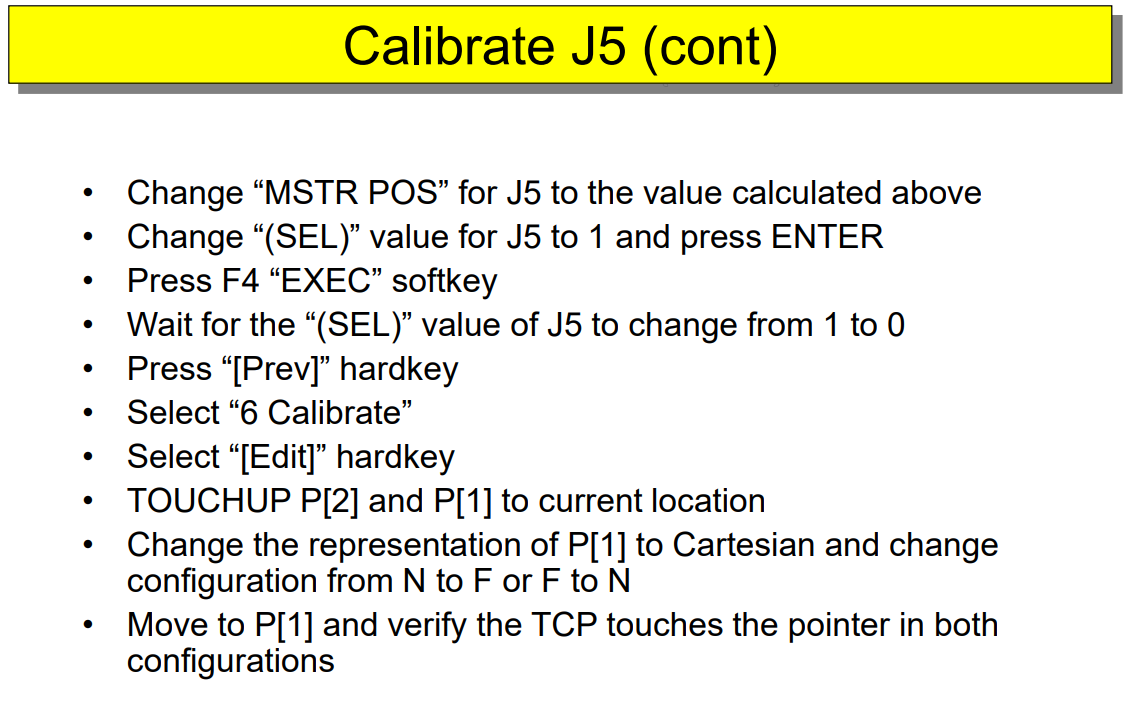
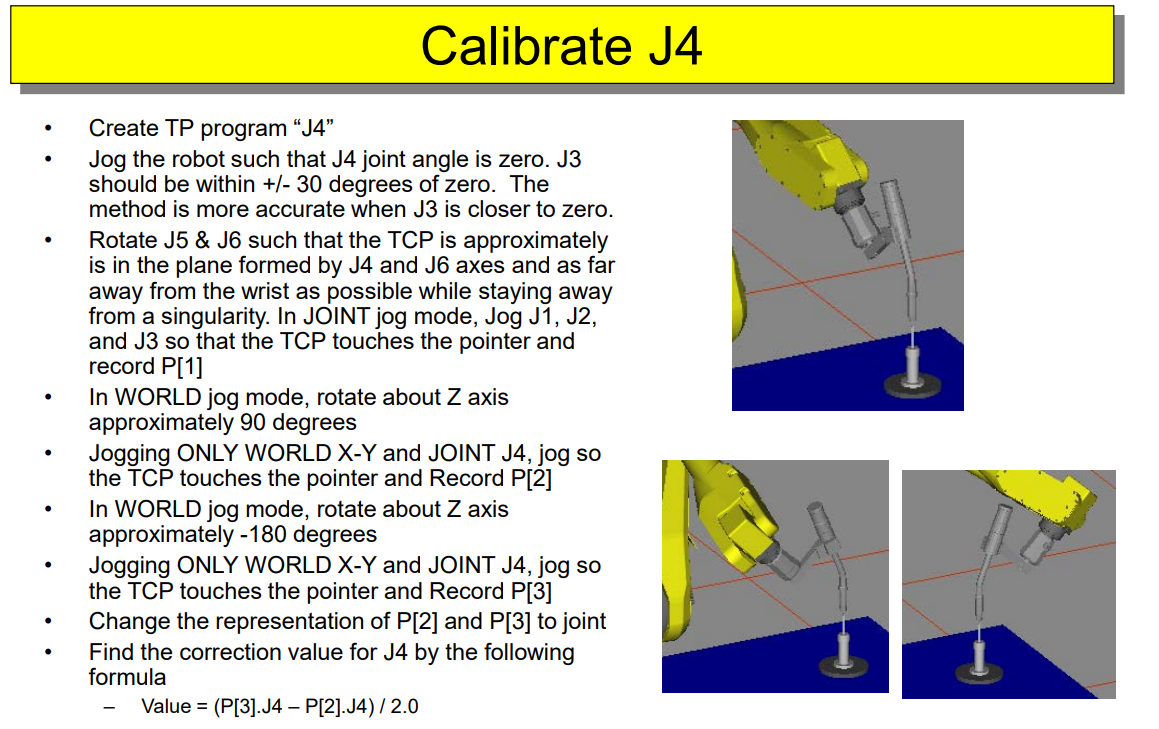
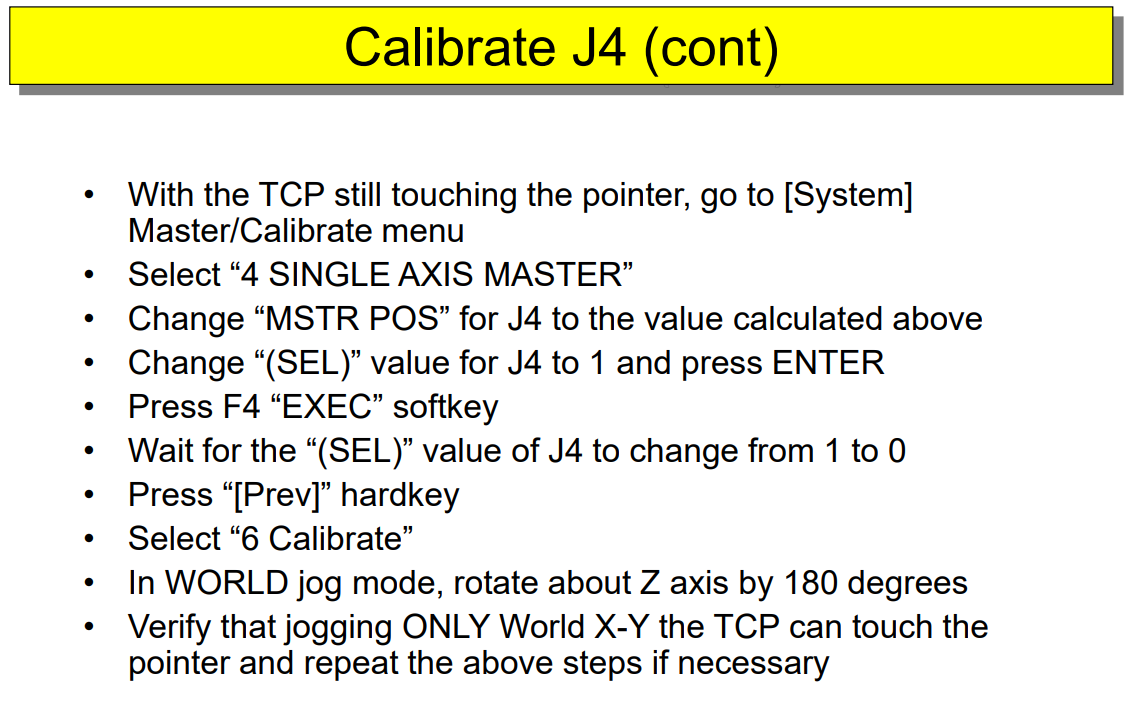
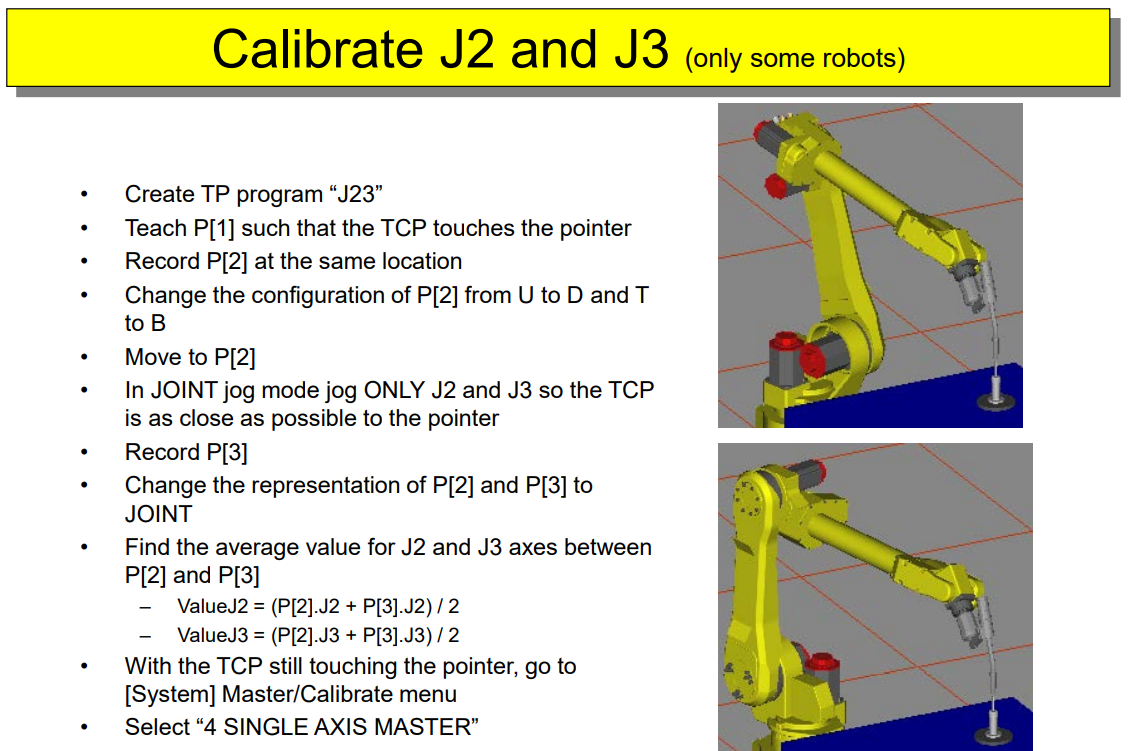
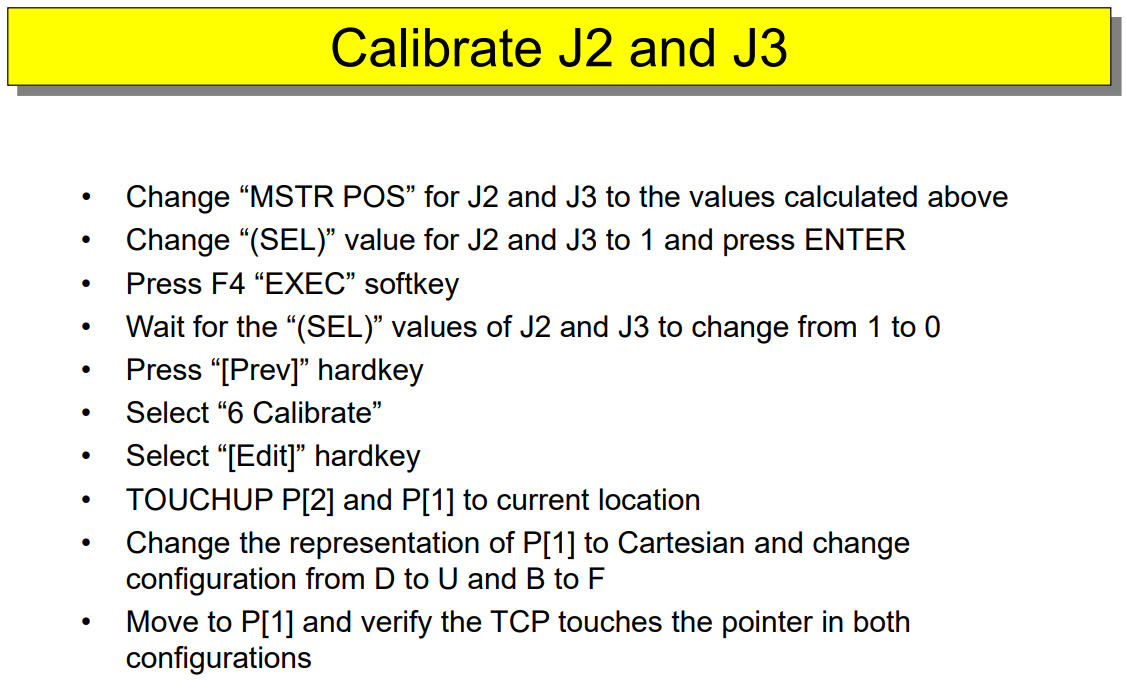
At this point I will make you try the Robot Accuracy Enhancement Techniques:
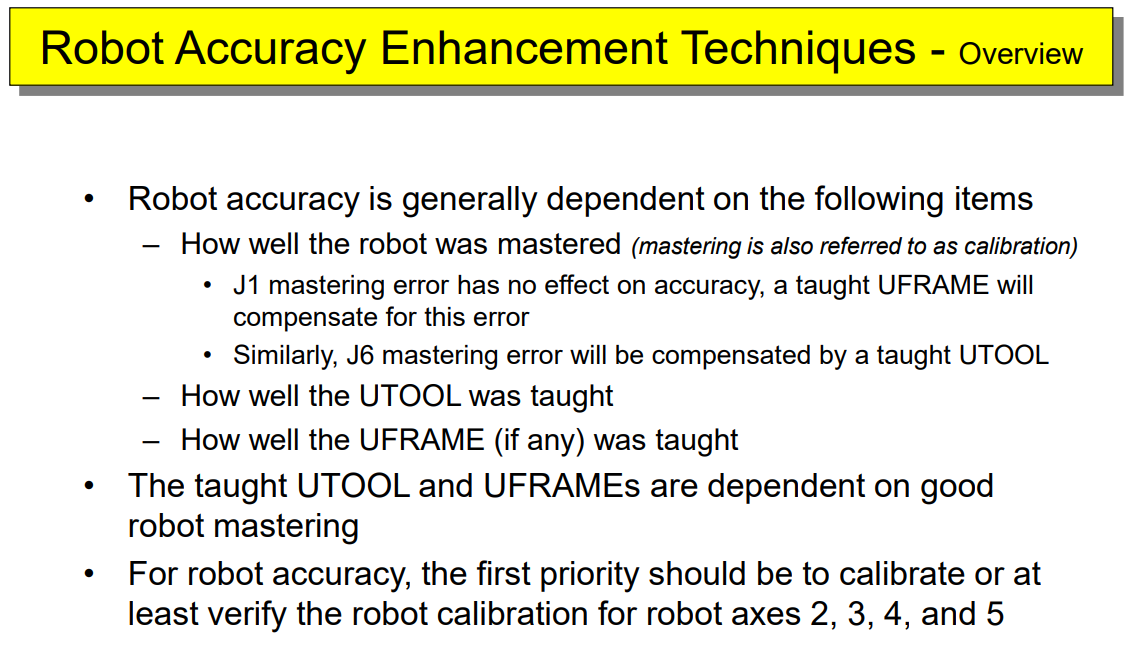
-
-
Please sign in to leave a comment.
Comments
24 comments