Hi,
The Fanuc app on the tablet of the CRX 10 is no longer connecting with the Robot.
We have tried every trick possible:
- restart the Robot
- restart the tablet
- unplug and replug
- closing the app
please, if you have any ideas, help.
thanks
Hi,
The Fanuc app on the tablet of the CRX 10 is no longer connecting with the Robot.
We have tried every trick possible:
please, if you have any ideas, help.
thanks
Didn't find what you were looking for?
New post


Hi Khaled,
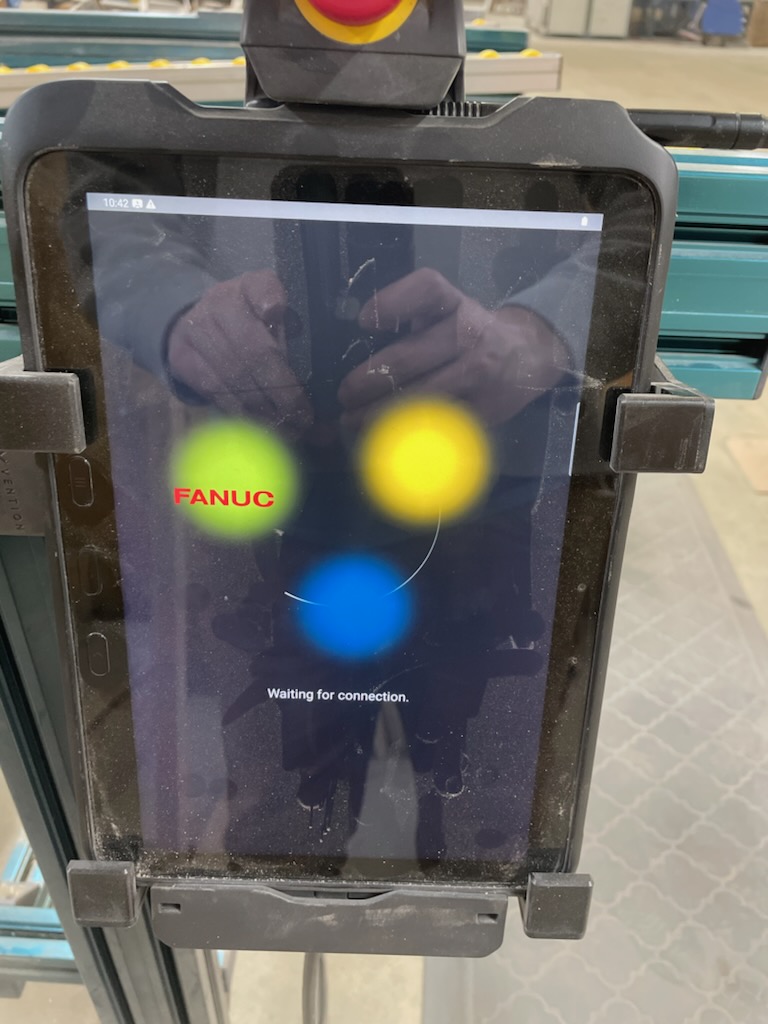
Having a picture of the screen would help us out.
But one thing you could try is make a clear cache.
To do it, open the TP Tablet application then in the Fanuc application swipe the screen to the right.
You will have a menu with example : Boot Monitor, app version, etc.
Select CLEAR CACHE and try to restart.
Maybe this will help out, if not please send us a picture of the screen on the TP tablet.
Good day
DIY-Robotics products
https://diy-robotics.com/products/

 Hi,
Hi,
the client has already cleared the Cache.
I'm waiting for a screen shut, but it's basically trying to connect after we start the App, and nothing more.
there's no error message, there no Trying to Pin the controller message, its just 3 balls of rainbow color and nothing more.

Good morning Khaled,
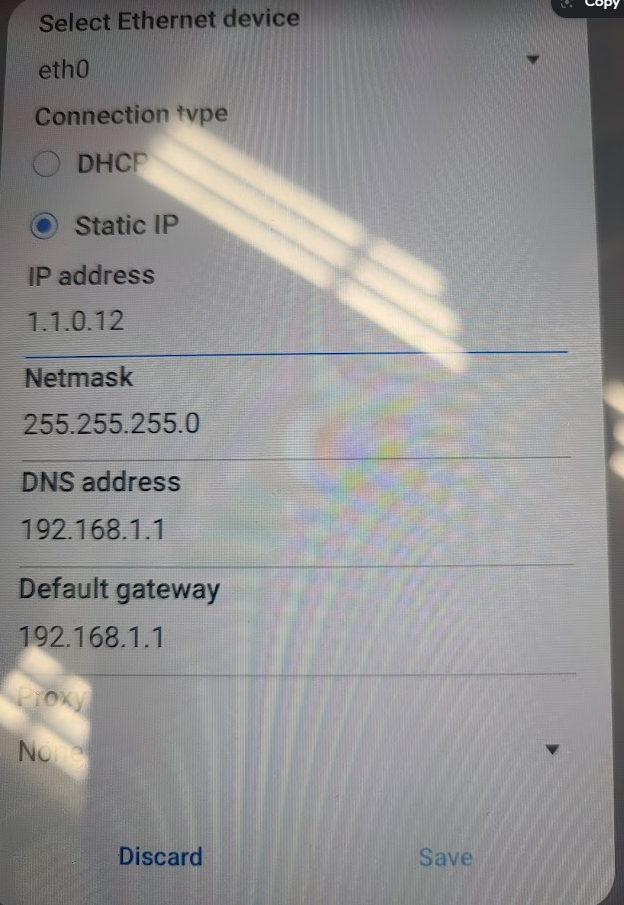
The link between the robot controller and the tablet uses the Ethernet protocol. In ordre for it to work properly, you must ensure that WIFI is NOT enabled on the tablet. You must also ensure that its IP address is set to static and that it is 1.1.0.12.
Regards,
DIY-Robotics products
https://diy-robotics.com/products/
Perfect,
That helps.
For some reason, the Ethernet port was closed, so we had to turn it ON, and reconfigure the port as you showed above and it worked.
Thank you very much.
Please sign in to leave a comment.
Comments
4 comments