IR-vision setup access error
I have added IP address in combability tab, refreshed internet explorer, restarted my laptop, tried it on other lines, with different browsers with no luck. Can someone please let me know what I am missing out? Currently, I am using Microsoft edge. I am trying to pull up modify/calibrate screen but the system will not let me access it. Thank you,
Ziya
Didn't find what you were looking for?
New post

-
 Comment actions
Hello Ziya Yusupov,
Use Internet Explorer instead of Microsoft Edge and add your robot IP in trusted sites. [Internet Properties], [Security], [Trusted Sites]
DIY-Robotics products
https://diy-robotics.com/products/ -
 Comment actions
I' ve attempted to make it work after I made security changes with no luck. It never fully finishes copying files and said operation timed out. I have contacted Fanuc and waiting now.
-
Comment actions
I received a manual that I had to go through and only then I was able to pull up the IRvision software properly. I also, upgraded to Viscontrls08 version.
-
 Comment actions
Hi Ziya Yusupov,
I am having the same problem. I can't access the IRvision setup. I can go in Vision Runtime. I already went thru all internet explorer settings. Could you please share that how did you solve the problem?
-
 Comment actions
Hi Oguzhan
What is the error code that you are receiving from internet explorer?
DIY-Robotics products
https://diy-robotics.com/products/ -
Comment actions
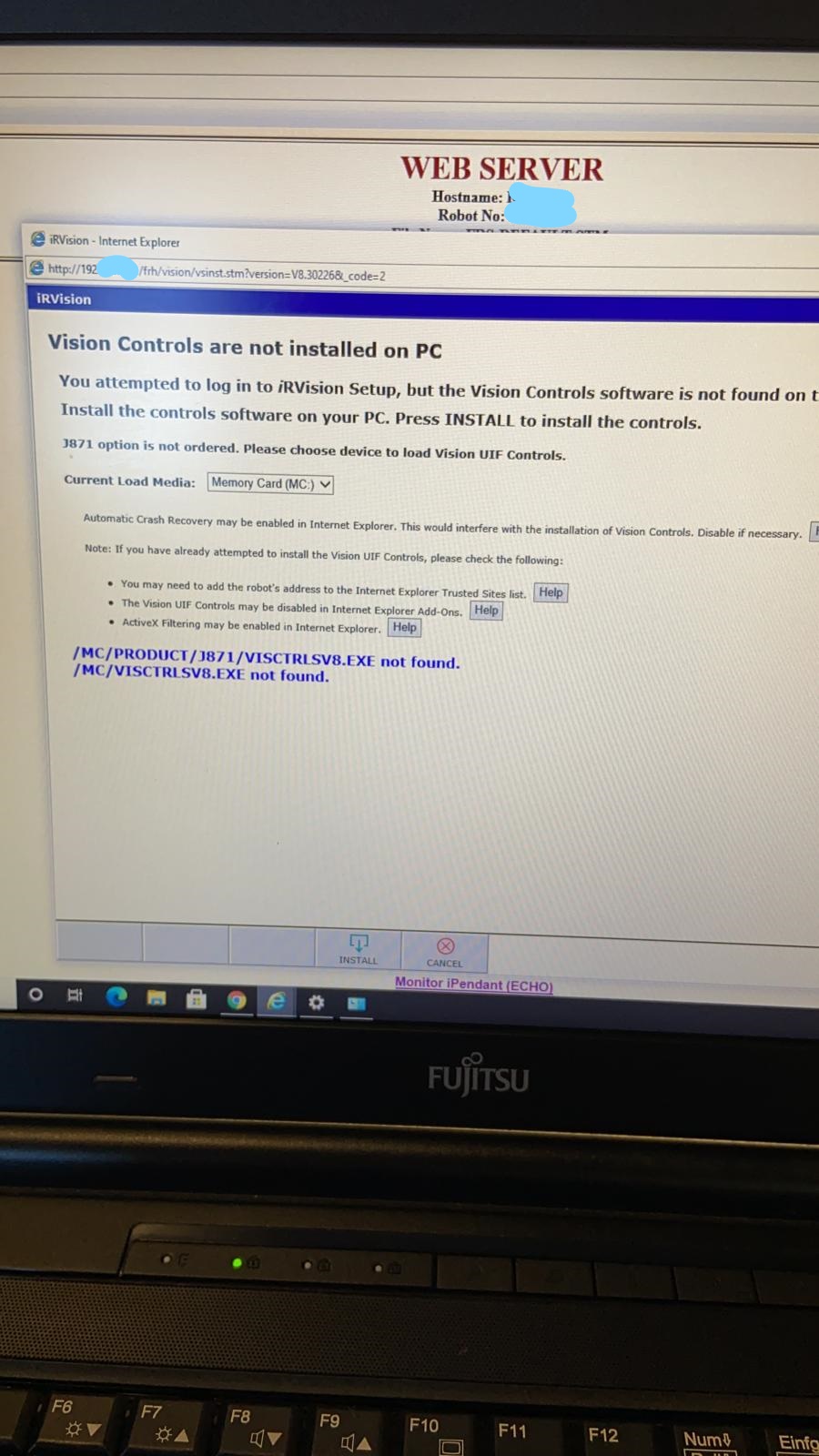
Already done all internet explorer security settings. It gives this error when I try to access IRvision setup. I am able to go in vision run time and logs
-
Comment actions
I had to run IRvision as administrators then open IE as an administrator as well. I added IP address to compability view and now I can access it no problem.
-
Comment actions
It didn't work for me. I am using ie11 is this a problem? I tried to run ie11 as ie7 as well, it didn't work either.
-
Comment actions
I just solved it by installing visctrlsv8.exe manually. I found it in roboguide setup package
Please sign in to leave a comment.
Comments
9 comments